How Nolapso works, screen by screen
Five screens from the app itself, filled with a fictional contract and one free trial. Choose a step to see it.
Step 1 of 5
Add what you pay for
Upload a PDF, import a saved email, paste a clause, type the details or pick a service from the logo list.
On paid plans you can also forward chosen emails to your own Nolapso address; each one arrives as a draft for you to check. Understand privacy
Step 2 of 5
Check the dates
Your document's text stays beside the form while you check the renewal date and the notice rule. Nolapso works out the last day to give notice, and tracking starts only when you confirm.
The contract in these screens is a fictional document. Download it to try the same steps:
Step 3 of 5
See what is coming
The first screen lists the next payments and notice dates, with anything waiting for you on top, such as a free trial about to turn paid.
Step 4 of 5
Get reminded by email
A contract gets emails 30, 14, 7 and 1 day before its notice deadline, at 09:00 in your time zone; a subscription, 3 days and 1 day before each payment. Switch any of them off or add your own.
Step 5 of 5
Decide and keep the proof
Renew, renegotiate or cancel. To cancel, Nolapso drafts the notice letter you send yourself; you then record when it left and what the supplier replied.
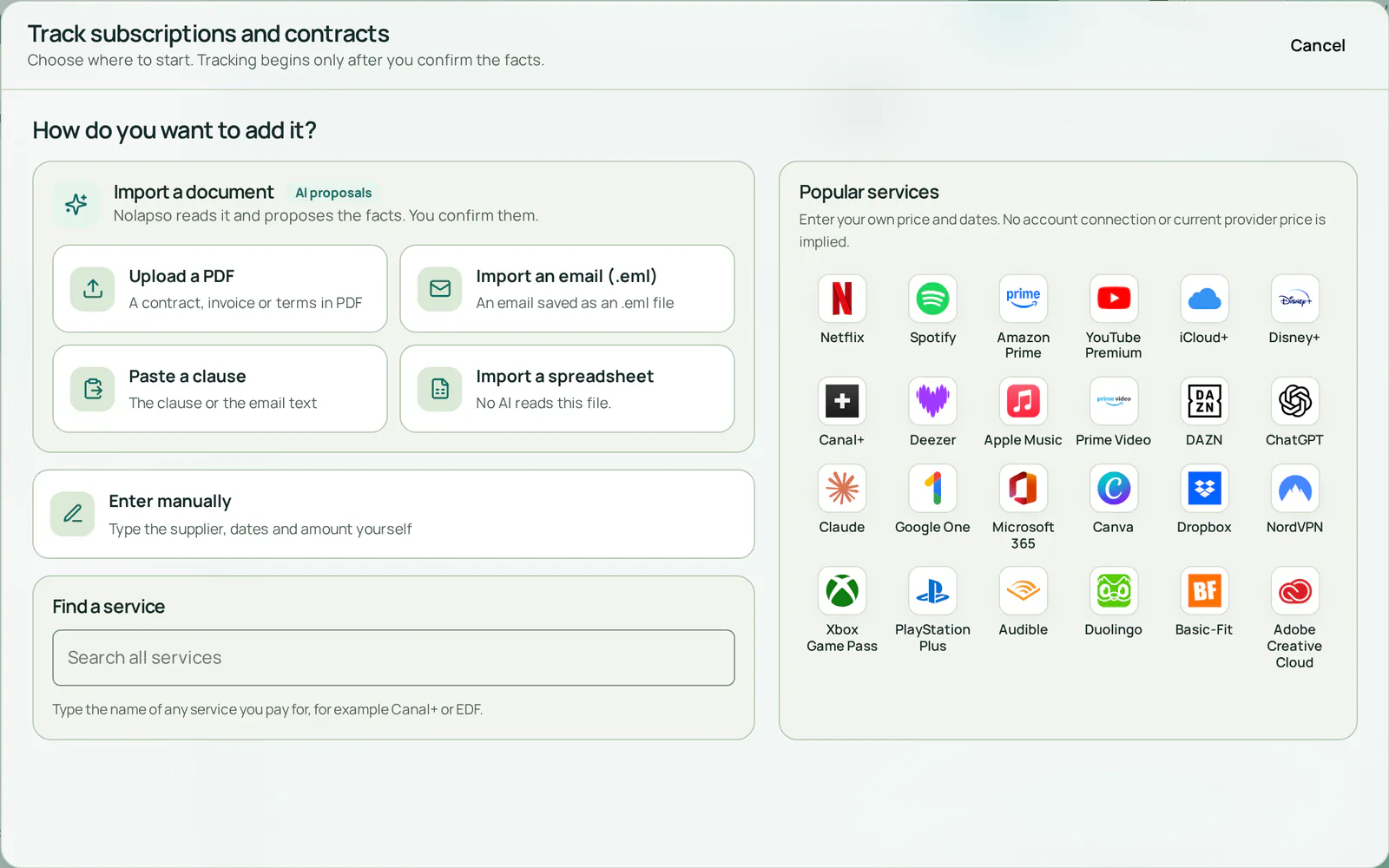
- Start from your own documentA PDF, a saved email or a pasted clause
- Or pick a service you knowThen enter your own price and dates
- No document? Type it inSupplier, dates and amount, by hand
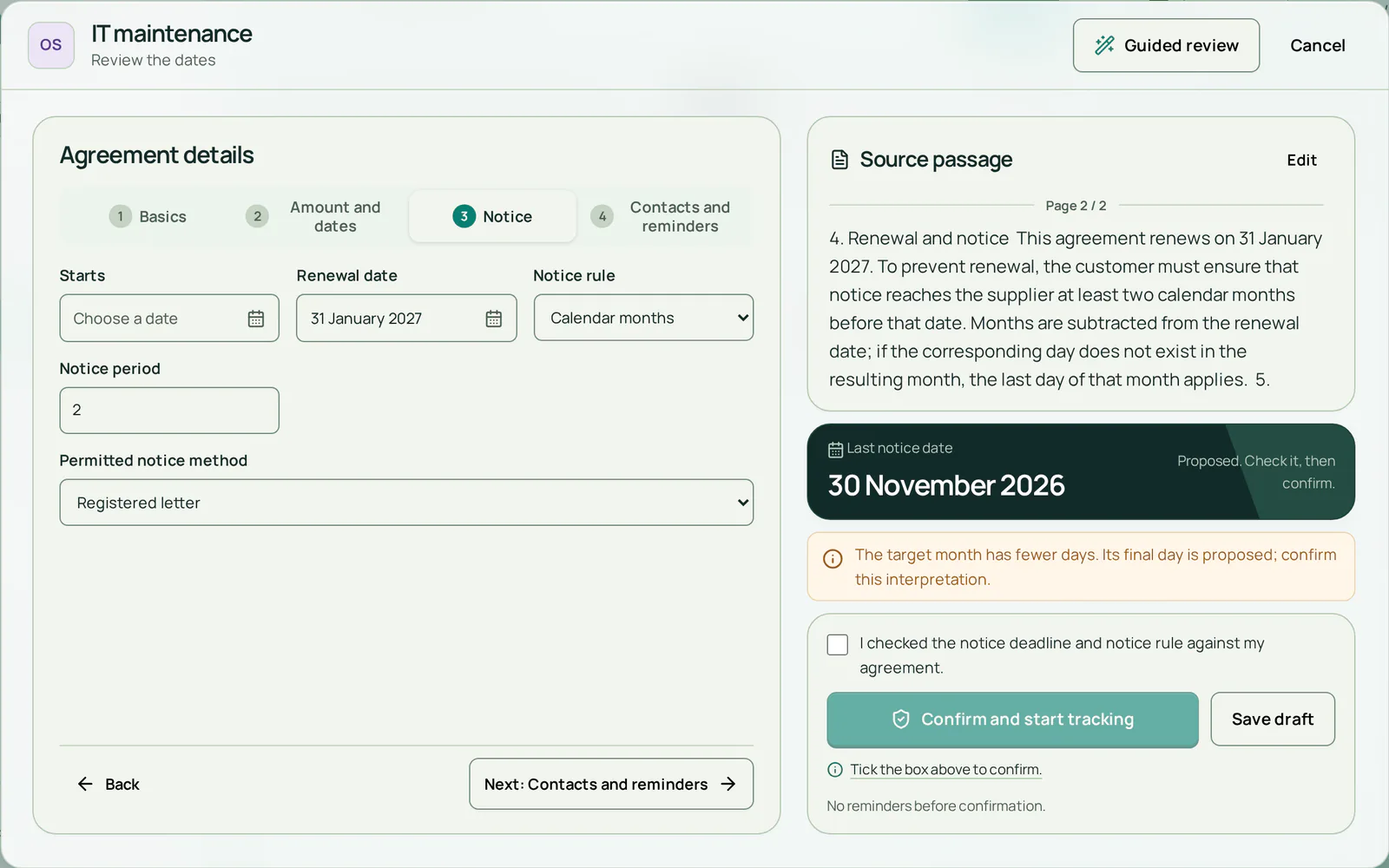
- The clause stays in viewCheck every date against the original text
- Last day to give noticeWorked out from the renewal date and notice rule
- Nothing is tracked before you confirmNo reminder goes out until you tick this
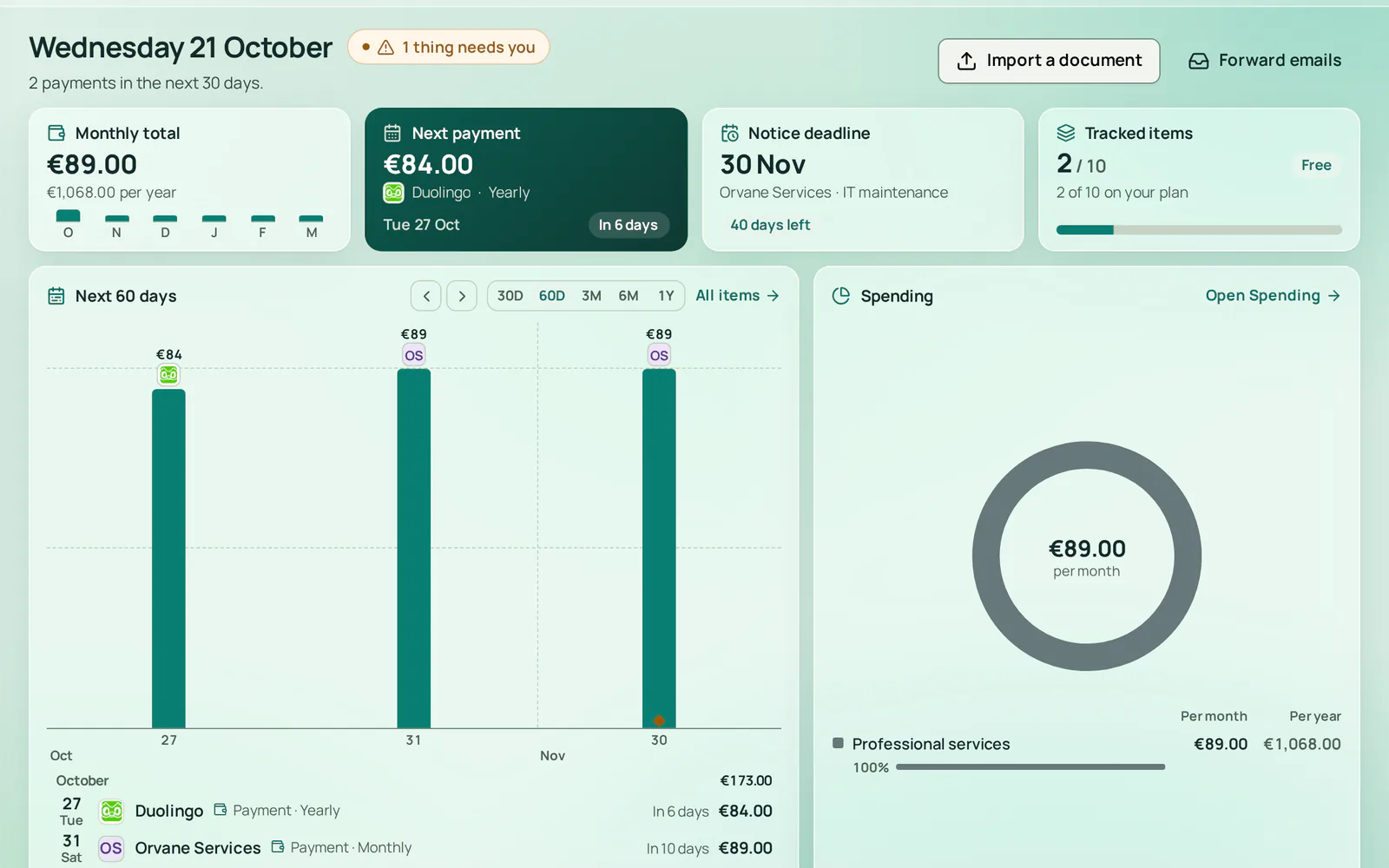
- The next payment, and whenAmount, service and days left
- What needs a decision from youClick it to finish each one right here
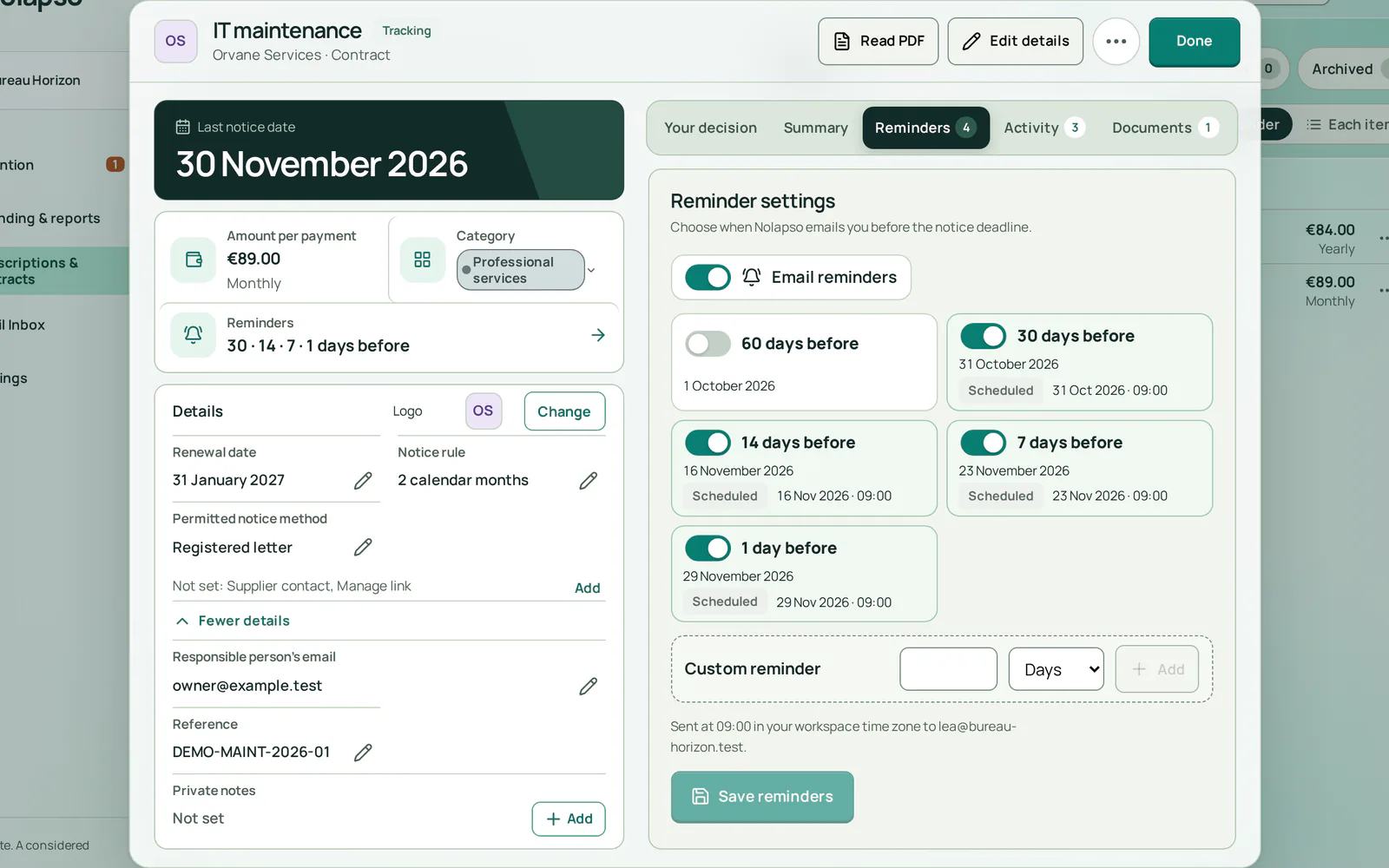
- One switch for this contract's emailsTurn every reminder off or back on
- Each email has its own dateSent at 09:00 in your workspace time zone
- Add a reminder of your ownAny number of days or weeks before
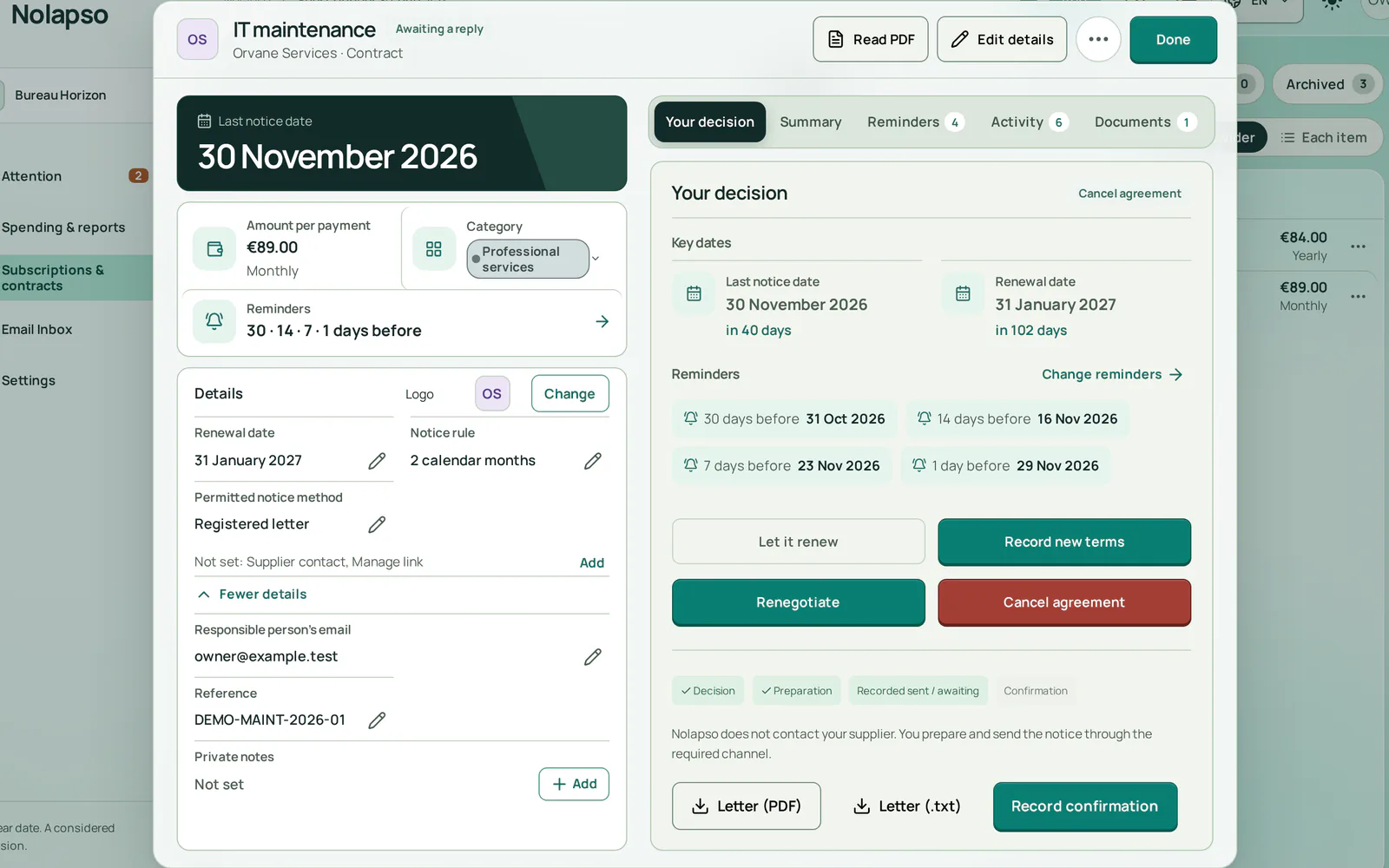
- Every stage is recordedDecision, letter, sending, confirmation
- Your notice letter, ready to sendYou send it; Nolapso never contacts the supplier
Try the five steps on your own bills
Start with one subscription or contract you already pay. The Free plan needs no card.